
• Home
  • About Us
    • The Journey
  • Designs
  • NAMC Parkjets
    • Mig-35A and Mig-FA
    • Mig-35B and SU-27
  • Gallery
  • News & Updates
  • Support
  • Feedback
Parkflyers International
  • Home
  • About Us
    • The Journey
  • Designs
  • NAMC Parkjets
    • Mig-35A and Mig-FA
    • Mig-35B and SU-27
  • Gallery
  • News & Updates
  • Support
  • Feedback

How To Print Large Untiled Plan As Tiled Pages

12/3/2018

5 Comments

 
INSTALLATION
We received many questions regarding to print large plans to a particular A4 or Letter paper size. So, we decided to write some guidance for you, in order to have untiled large plans printed into A4 or Letter paper size.

First, you need to download a common PDF reader. The most recommended and free one comes from Adobe. The Adobe Acrobat Reader DC is meant to provide features to open and read PDF files. It allows us to read PDF files and print them directly to a printer. Acrobat Reader DC can be downloaded from THIS LINK.

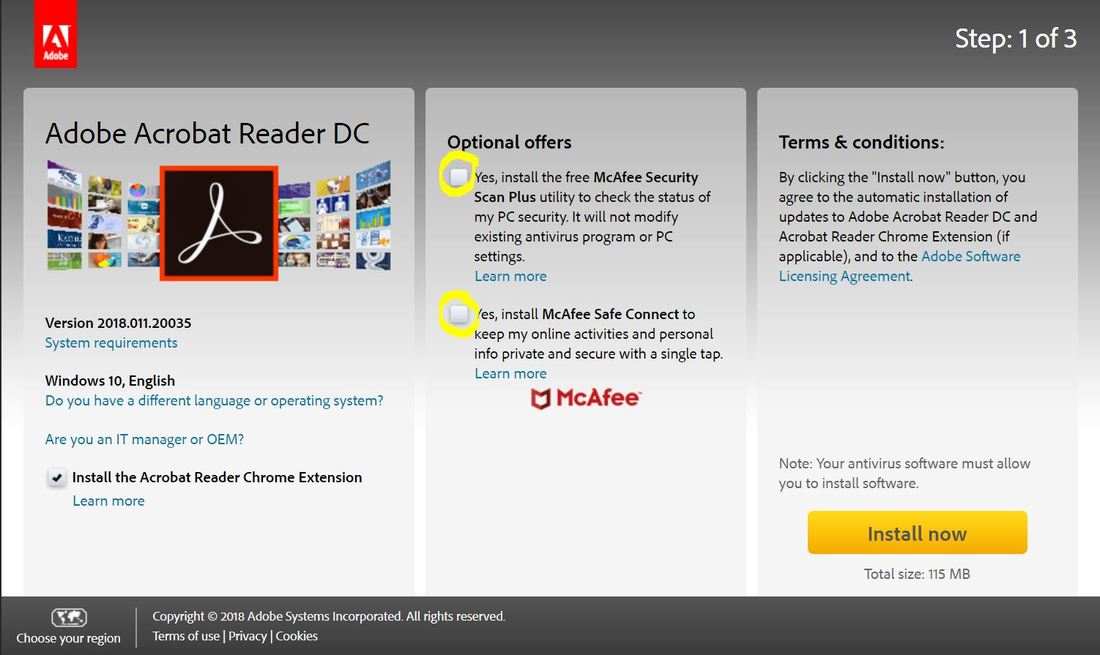
Once clicked, it will bring you to this page. You may uncheck the options recommended, below.
Picture

It will guide you to have the installation once you click INSTALL NOW button. Please give it some time as it will download 115MB file for the installation. Once installed, it will place the software inside your computer and ready to be launched.

​PRINTING PLAN
Once you open the plan, with the printer already installed, attached and turned on to your computer, you're now able to print the plan, and turn the large untiled plan into tiled one, with your choice of paper size. Steps are simply as following.

  1. Open the untiled plan, using Adobe Acrobat Reader. 
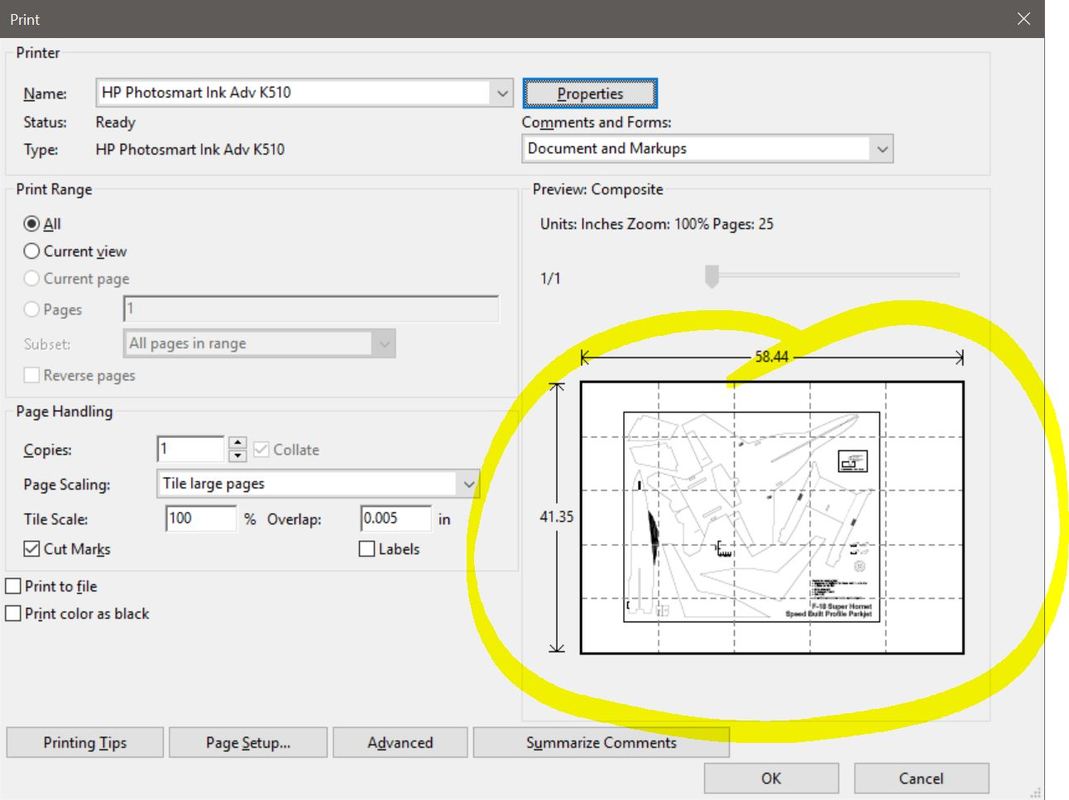
  2. Once opened, you need to set the Page Handling and set the Page Scaling to "Tile Large Pages" (1)
  3. Then you need to check the Cut Marks and leave other options unchecked. (2)
  4. Then you need to click the Properties button (3) in order to open the printer properties
  5. The example shown here is for the HP K510 printer, and select the desired paper size that you use (4). The paper size in this very example is A4.
Picture

So now, you're ready to print, and the printed layout can be viewed inside the Print Dialog Box.
Picture

Once you hit OK button, the printer will print a series of tiled printed papers that you could construct them later on just like the preview layout.
5 Comments
Robert Mirzak
4/4/2020 02:44:11 am

Can one down scale the plan and use 4 mm. depron foam sheet instead?
Also is there an illustration of assembly available for a beginer? appriciate the help.

Reply
Bimo Adi Prakoso
4/4/2020 06:11:49 am

Hi Robert.

All PI parkjet plans are based on 5.5mm depron thickness. Why 5.5mm? Because in some part of this world there are 5mm depron sheets while others have 6mm depron sheets. So it's best of both worlds.

Therefore, if some builders would like to build a bigger or smaller plane without the hassle of changing every single slot, they just scale up the plan while printing it up to 10%.

But it you wanna build it with 4mm depron, it still feasible. You just need to cut the slots by cutting the inner line of each slot.In theory, it should work.

Also, every plan comes with illustration of assembly too. This would help beginners and evert expert builders to have a clear description on how the plane would be constructed.

Feel free to post any comment of even contact us directly via this comment thread or our feedback page, should you need any assistance.

Reply
Alberto Balmaceda
12/8/2022 08:53:13 am

Buenas tardes estoy intentando adquirir sus planos pero con PayPal tengo un problema con el pago tienen otro medio de pago. Soy de argentina

Reply
Maria link
24/6/2024 12:33:55 pm

Helloo mate great blog

Reply
bimo
18/8/2024 05:42:42 am

Hi. Really appreciate the kind words and your time, visiting our page. Stay safe and healthy.

Reply


Leave a Reply.

    Archives

    May 2019
    March 2018

    Categories

    All
    How To

Copyright © 2024 Parkflyers International. All rights reserved.

  • Home
  • About Us
    • The Journey
  • Designs
  • NAMC Parkjets
    • Mig-35A and Mig-FA
    • Mig-35B and SU-27
  • Gallery
  • News & Updates
  • Support
  • Feedback